

Telling us what's on the way
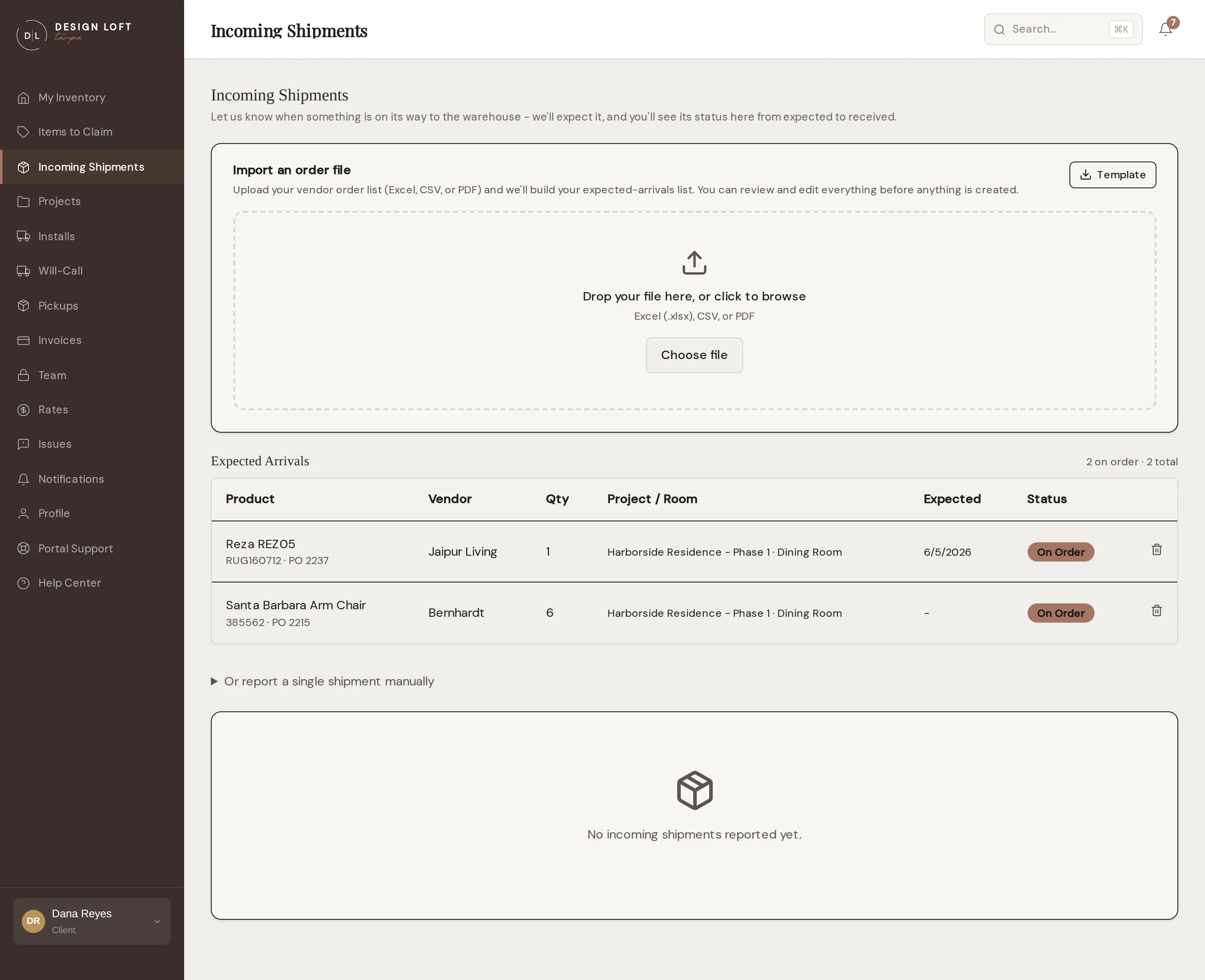
You usually know a vendor shipped something before we do. Incoming Shipments in the sidebar is where you pass that along: we put it on our receiving schedule and watch for it at the dock, and you follow it on the same page - from expected to received.
There are two ways to use the page, and most clients use both:
- Import your order list. Upload the Excel, CSV, or PDF order file you already keep and we turn it into your expected arrivals in one go. Best when you have just placed a run of orders for a project. See Importing your order list.
- Report one shipment. Tell us about a single shipment that is already moving, with its carrier, tracking number, and expected date. Best for the one-off that is on a truck right now.
Both of those are for items somebody else is bringing to us. If the pieces are simply sitting somewhere and need collecting, ask us to fetch them instead - see Pickups.
Reporting a single shipment
Section titled “Reporting a single shipment”- Open Incoming Shipments in the sidebar.
- Click Or report a single shipment manually to open the form.
- Under Something on the way?, describe what is coming - for example “6 pendant lights and 2 sconces for the marina renovation”. That is the only required field.
- Add whatever else you know: the vendor, the carrier, a PO number, a tracking number, the expected date, and a delivery window if the carrier gave one.
- If the shipment is for a held install date or an open request, pick it under For a held date or open install - see below for why that is worth doing.
- Click Report Incoming Shipment.
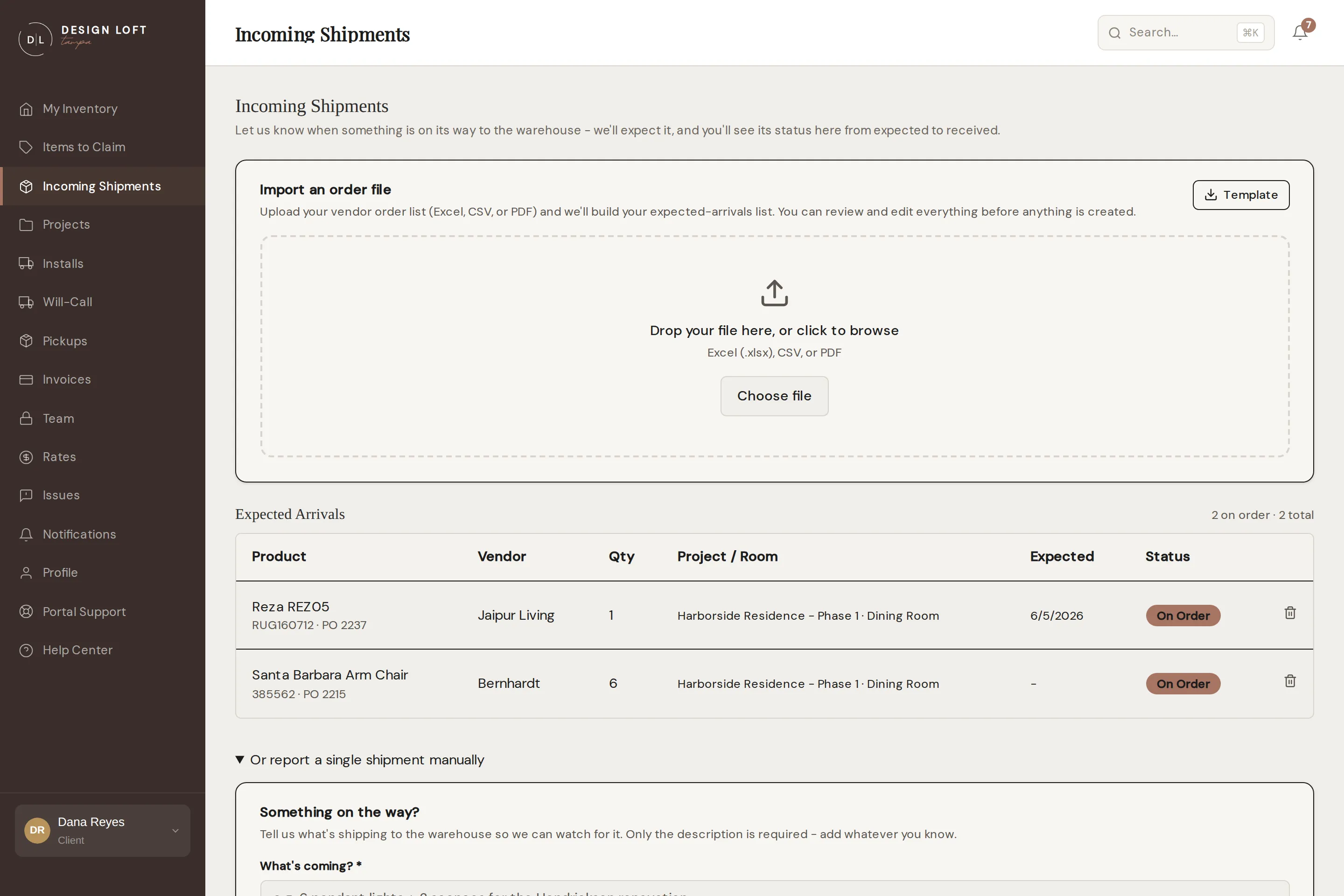
The shipment joins the list at the bottom of the page. When the freight arrives we check it in as usual - every piece inspected, photographed, and added to your inventory - and the shipment’s status updates as that happens. Rugs are shelved sealed rather than opened, so if you want one inspected, say so here in the description and we will take care of it - see Rugs are shelved sealed.
The sidemark rule still applies: reporting a shipment helps us expect it, but the boxes themselves must carry your sidemark so we can match them at the dock.
What you have on order
Section titled “What you have on order”Anything you imported from an order file is listed under Expected Arrivals, above the shipment list, with a count of how many pieces are still on order. That list is the pre-arrival picture of a project: what is coming, from whom, for which room. It is covered in full in Importing your order list.
The two lists answer different questions. Expected Arrivals is what you have ordered, piece by piece. The shipment list below it is what is physically in motion toward our dock.
If an order falls through, click the trash icon at the end of its row to take the line off the list yourself - see Removing something you are no longer expecting.
Linking a shipment to a held date
Section titled “Linking a shipment to a held date”If you have a held install date waiting on this shipment, link the two when you report it. The shipment then shows on the hold’s page under On the way for this date, and the moment it is received we prompt you to confirm your install items - so the hold’s confirm-by deadline never catches you out.