
Portal Support
The portal is built and looked after by our own team, and we want to hear when it gets in your way. Portal Support in the sidebar is where you report a problem with the portal itself - a page that will not load, a button that does nothing, numbers that look off - or suggest a feature that would make the portal work better for you.
One thing to keep straight: Portal Support is about the portal, not your items. A scratched console table or missing hardware belongs in an issue, where the conversation stays attached to the item.
Sending a report
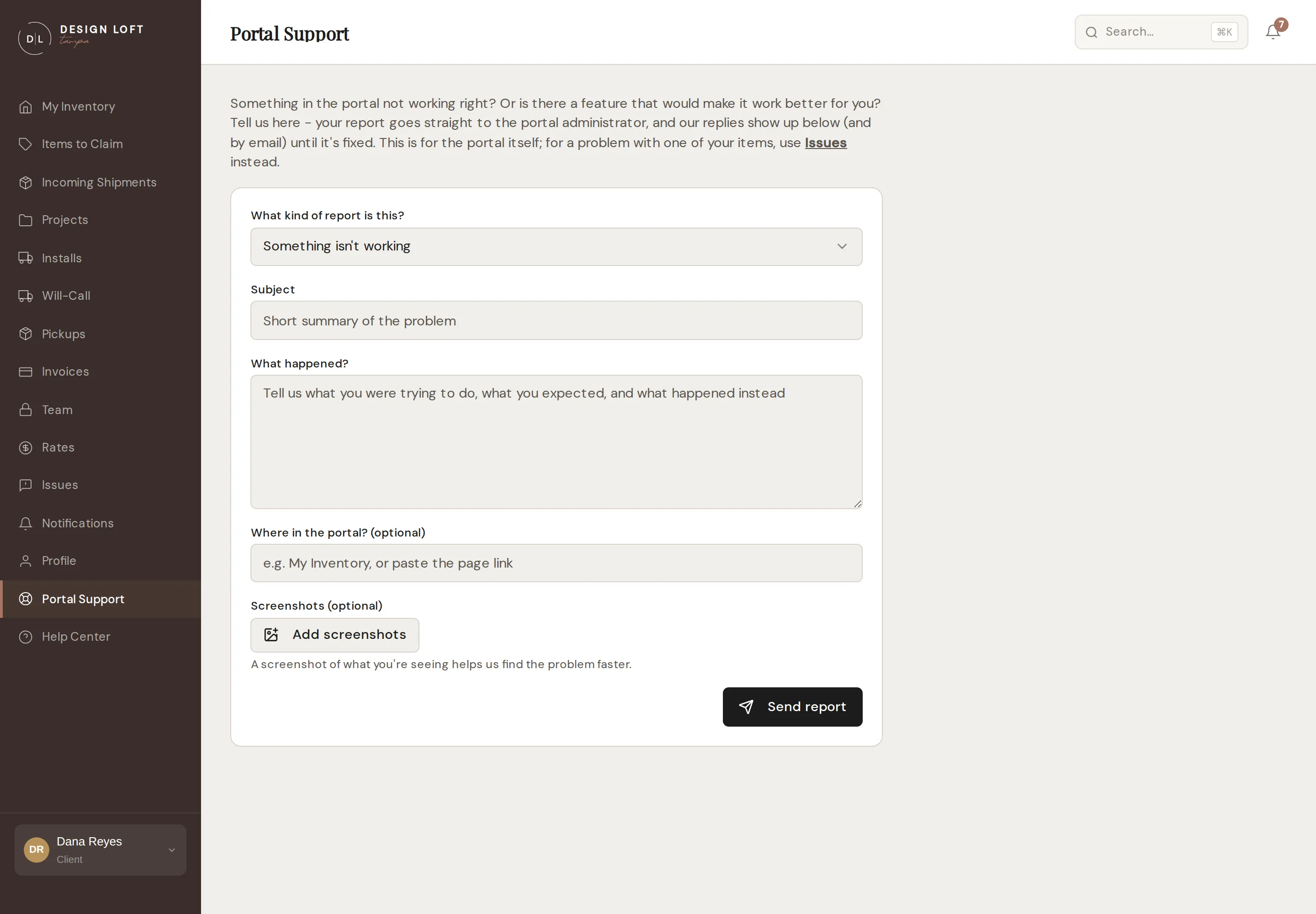
Section titled “Sending a report”- Open Portal Support in the sidebar.
- Choose the kind of report: Something isn’t working or Feature request / idea.
- Give it a short Subject.
- Describe it. For a problem, tell us what you were trying to do, what you expected, and what happened instead. For an idea, tell us what you would like to be able to do and how it would help.
- Where in the portal? is optional - the page name is fine, or paste the page link.
- Add screenshots if you can (up to 10 pictures). A screenshot of what you are seeing usually gets a problem found faster than any description.
- Click Send report.
Your report goes straight to the portal administrator, who is notified immediately.
Following the fix
Section titled “Following the fix”Everything you have sent is listed under Your reports, each with a status:
- Received - we have it and will take a look.
- In review - we are working on it.
- Fixed - done, whether that is a repair or a shipped idea.
Click a report to open its conversation. Our replies appear there and also reach you by email and in your notifications; a dot next to a report means there is something new to read. You can reply right in the thread to answer a question or add detail.