
The notifications feed
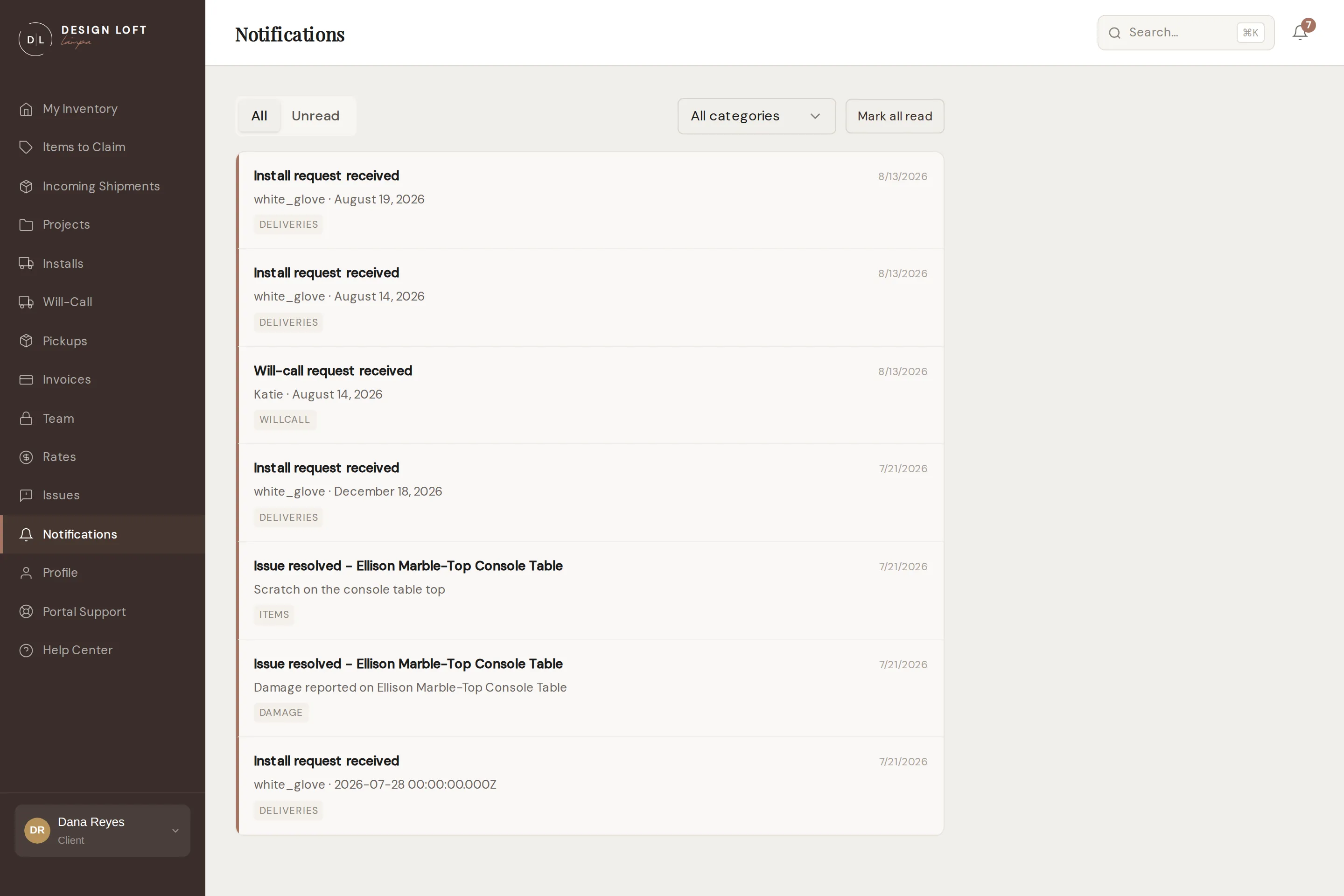
Anything that happens on your account - items received, installs scheduled, invoices issued, issue replies - lands in your notifications feed. The bell in the top-right corner shows your unread count from anywhere in the portal.
Using the feed
Section titled “Using the feed”- All / Unread tabs to focus on what is new.
- Category filter to see just items, installs, damage, invoices, or messages.
- Click a notification to mark it read and jump straight to the thing it is about.
- Mark all read when you are caught up.
The feed updates in real time while the portal is open - no refreshing needed.
Beyond the portal
Section titled “Beyond the portal”The feed is one of three channels; the same events can also reach you by email and text message, each with immediate or daily-digest timing, per category. That is all configured in your notification preferences.
Every notification email carries a button to the thing it is about - the invoice, the piece, the issue thread. On a device where you are still signed in, that button opens the page straight away, with no sign-in step in between. See Staying signed in.